Once you start looking past Life360, the options multiply fast — some are dedicated family safety apps, some are free tools already built into your phone, and some are really parental-control apps wearing a location-sharing hat. They're not interchangeable, even though they all get pitched as "track your family" solutions.
This is a straight comparison of the four families of tools people usually end up considering, so you can match the tool to what your family actually needs instead of the one with the loudest marketing.
The four options most families compare
Life360. The category leader by user count. Broad safety toolkit — driving reports, roadside assistance, Tile-based item tracking — but it sits behind tiered subscriptions that have climbed in price, and its data-sharing practices have drawn scrutiny in the past.
Find My (Apple). Free, built into every iPhone, zero setup. Works only iPhone-to-iPhone — there's no Android app at all, so it quietly breaks the moment one family member carries a different phone.
Google Family Link. Free, and genuinely useful for supervising a young child's device — screen time limits, app approval, location. But it's built around a parent-child admin relationship, not a two-way family circle, and it stops making sense once a child gets older and needs their own independent account.
WheresNow. Cross-platform, built specifically around whole-family safety rather than device supervision — Circles with per-person permissions, one-tap SOS, automatic crash detection, and multilingual chat.
How they actually compare
| Life360 | Find My | Google Family Link | WheresNow | |
|---|---|---|---|---|
| Price | Free tier + paid Gold/Platinum | Free | Free | Free, with a paid tier |
| Works cross-platform (iOS + Android) | Yes | No — iPhone only | Yes | Yes |
| One-tap SOS alerts | Yes (paid tiers) | No | No | Yes |
| Automatic crash detection | Yes (paid tiers) | No | No | Yes |
| Group/circle model | One circle, flat permissions | Single share list | Parent-child pairing only | Multiple Circles, per-person permissions |
| In-app multilingual chat | No | No | No | Yes — 8 languages |
| See who can see your location | Not always clear | Yes | N/A (admin-controlled) | Yes, always visible |
Why the group model matters more than it looks
A lot of these tools assume one flat list: everyone in, everyone sees the same thing. That works fine for a small nuclear family, but it breaks down fast once you're also trying to keep an eye on an aging parent, coordinate a carpool, or give a teenager some independence without full visibility to every adult in the house.
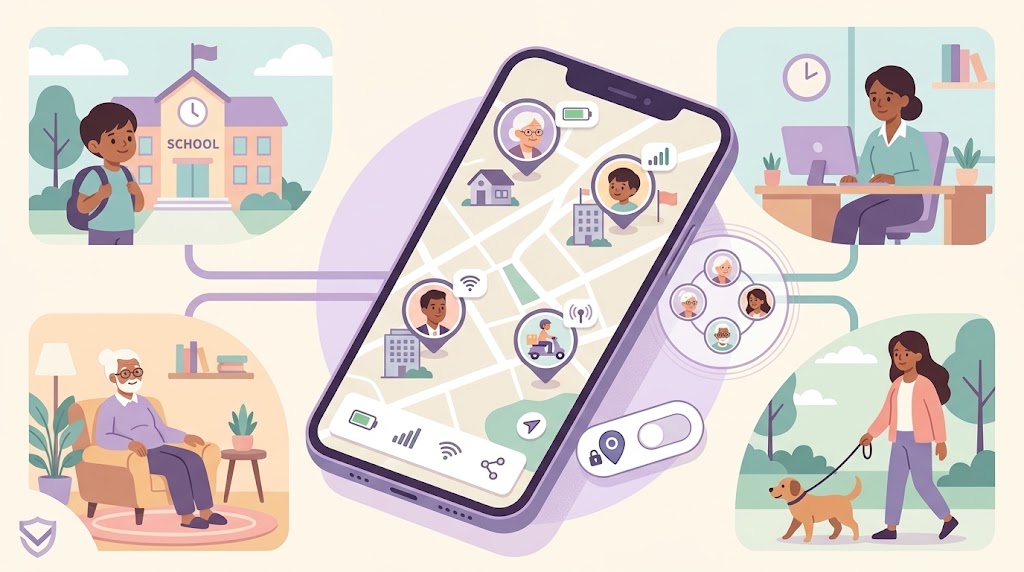
WheresNow's Circles let you separate those groups entirely — immediate family, a carpool group, a grandparent's circle — each with its own membership and per-person permissions for who sees live location, history, or device status. Google Family Link is the opposite of flexible here: it's built for one specific relationship (parent supervising child) and doesn't really extend into a broader family safety tool.
Safety features, not just tracking
If your main goal is actual emergency response rather than passive tracking, the field narrows quickly. Find My and Family Link don't offer SOS alerting or crash detection at all — they're built for "where is this device," not "something just happened." Life360 has both, but behind a paid tier. WheresNow includes one-tap SOS and automatic crash detection that notify the whole Circle immediately, on the free plan.
Which one is right for your family
All-iPhone household that just wants a free, no-setup location share? Find My does that well. Supervising a young child's first device? Family Link is purpose-built for it. Want a full safety toolkit and don't mind the subscription? Life360 still covers a lot of ground.
If your family is mixed-platform, spans multiple languages, or you want real emergency features without upselling your way there, WheresNow is built around exactly that combination.
Download WheresNow and set up your first Circle for free.