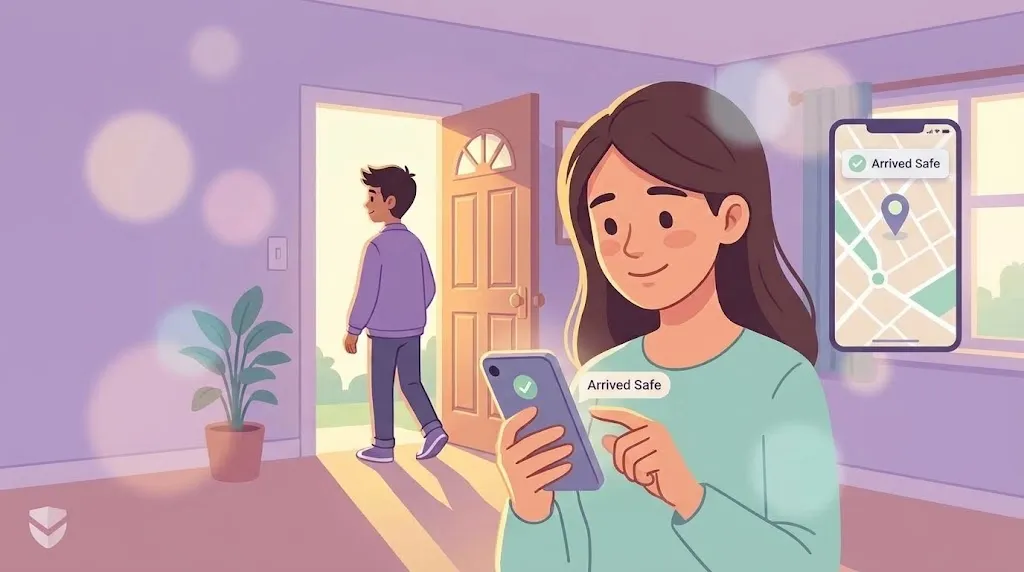
"SOS button එකක්" යනු සරල දෙයක් ලෙස ඇසේ. ප්රායෝගිකව, විවිධ apps එම button එක භාවිත කරන්නේ තරමක් වෙනස් කාර්යයන් සඳහාය, ඒ නිසා ඔබට ලැබෙන්නේ කුමක්දැයි දැනගැනීම වැදගත් වේ.
හදිසි alert එකක් නිවැරදිව කළ යුත්තේ කුමක්ද
Apps සංසන්දනය කිරීමට පෙර, SOS විශේෂාංගයක් අවශ්ය මොහොතේ ප්රයෝජනවත් වන්නේ කුමක් නිසාදැයි දැනගැනීම උපකාරී වේ:
- Trigger කිරීමට වේගවත්. හොඳම ඒවාට අවශ්ය වන්නේ හැකි තරම් අඩු පියවර ගණනකි, වඩාත් සුදුසු වන්නේ එක tap එකක් හෝ gesture එකක්, ඔබ කලබල වී සිටින විට හෝ අත් වෙව්ලන විට menu එකක් අතරින් සොයන්න අවශ්ය නොවන ලෙස.
- එක් අයෙකුට වඩා වැඩි පිරිසකට ළඟා වේ. එක් හදිසි සම්බන්ධතා පුද්ගලයෙකු පිළිතුරු නොදෙන්නට පුළුවන. හොඳ alert එකක් දැනගත යුතු සෑම දෙනාටම එකම වේලාවේ දැනුම් දෙයි.
- Wi-Fi මත රඳා නොපවතී. හදිසි අවස්ථා හොඳ connection එකක් එනතුරු බලා නොසිටී, GPS සහ cellular data ප්රමාණවත් විය යුතුය.
- අනුමැතියට ගරු කරයි. පවුලේ සාමාජිකයන් SOS විශේෂාංගයක් ඇති බවත් එය ක්රියා කරන ආකාරයත් දැනගත යුතුය, එය මුළු කාලයම නිහඬව තමන්ව නිරීක්ෂණය කරමින් සිටි බව සොයාගැනීමට නොවේ.
ඔබේ phone එකේම ඇති විකල්පය
iPhone සහ Android දෙකටම built-in emergency SOS එකක් ඇත, බොත්තම් කිහිප වරක් එබීමෙන් හදිසි සේවාවන්ට කෙලින්ම ඇමතීමටත් ඔබේ location එක බෙදාගැනීමටත් හැක, app එකක් අවශ්ය නැත. එය විශ්වාසදායකයි, ඒ වගේම දැනටමත් ඔබ ළඟ ඇත. නමුත් එයින් සාමාන්යයෙන් තනිවම නොකරන්නේ, විශේෂිත පවුල් ආරක්ෂක app එකකට කළ හැකි ආකාරයට ඔබේ පවුලට දැනුම් දීමයි.
විශේෂිත apps කරන විවිධ කාර්යයන් දෙකක්
SOS ආකාරයේ සියලු apps එකම ගැටලුව විසඳන්නේ නැත:
ඔබේ පවුලට ඉක්මනින් දැනුම් දීම. බොහෝ පවුල් ආරක්ෂක apps වල මූලික කාර්යය මෙයයි, tap එකක් මඟින් ඔබේ location එක සහ alert එකක් ඔබට ආසන්නතම පුද්ගලයන්ට යවයි, එවිට ඔවුන්ට වහාම ක්රියා කළ හැක.
සජීවී හදිසි operator කෙනෙකු සමඟ ඔබව සම්බන්ධ කිරීම. කුඩා වර්ගයක පුද්ගලික ආරක්ෂක apps තවත් පියවරක් ඉදිරියට ගොස්, ඔබ වෙනුවෙන් නිල හදිසි සේවා යොමු කළ හැකි සජීවී පුද්ගලයෙකුට alert එක යොමු කරයි. එය සැබවින්ම වෙනස් ආකාරයක විශේෂාංගයකි, ඔබට ලැබෙන්නේ කුමන එකදැයි දැනගැනීම වටී, මෙම operator මත පදනම් වූ සේවා සමහරක් ඇත්තේ ඇතැම් රටවල පමණක් බැවින්, ඒ මත රඳා සිටීමට පෙර ආවරණය පරීක්ෂා කර බැලීම වටී.
WheresNow මෙය හසුරුවන ආකාරය
WheresNow හි SOS සහ crash detection දෙකම ගොඩනඟා ඇත්තේ පළමු කාර්යය වටාය: ඔබේ පවුලට alert එක වහාම ලබා දීම.
- එක-tap SOS එකක් මඟින් alert එක කෙලින්ම ඔබේ Circle එකේ සිටින සෑම දෙනාටම එකවර යවයි, එක් සම්බන්ධතා පුද්ගලයෙකුට පමණක් නොව.
- Crash detection ස්වයංක්රීයව ක්රියා කරයි, ගමනක් නොසිතූ ආකාරයෙන් හදිසියේ නතර වුවහොත් ඔබේ Circle එකට එම ක්ෂණික alert එකම යවයි.
- එය ඔබේ location sharing වල ඇති එම Circle එකේම කොටසක් නිසා, alert එක ලබන කෙනෙකුට එය පැමිණියේ කොතැනින්දැයි හරියටම දැකිය හැක, එය සොයාගැනීමට දෙවැනි app එකක් හෝ දුරකථන ඇමතුමක් අවශ්ය නැත.
එය බරපතල අවස්ථාවකදී හදිසි සේවාවන්ට ඇමතීමට ආදේශකයක් නොවේ, ඔබේ පවුල අන්තිමට දැනගන්නා අය නොවන බව සහතික කරන්නේ එයයි.
තෝරා ගැනීමට පෙර පරීක්ෂා කළ යුතු දේ
- Alert එකක් යැවීමට පියවර කීයක් අවශ්යද?
- එය එක් සම්බන්ධතා පුද්ගලයෙකුට දැනුම් දෙයිද, නැත්නම් ඔබේ මුළු පවුල් group එකටම එකවරද?
- ශක්තිමත් Wi-Fi signal එකක් නැතිව එය ක්රියා කරයිද?
- එය පවුලට දැනුම් දීමේ tool එකක්ද, හදිසි සේවා යොමු කිරීමේ tool එකක්ද, නැත්නම් දෙකම ද, ඔබට සැබවින්ම දෙකම අවශ්යද?
Download WheresNow සහ අදම ඔබේ පවුල සඳහා SOS සහ crash detection setup කරන්න.