Not every moment needs to be shared. Sometimes you're planning a surprise party, sitting in a doctor's office, or just want an hour where nobody's watching a dot move around a map. That's not suspicious — it's normal. WheresNow built Ghost Mode so you can take that privacy without quietly breaking the trust a family circle depends on.
Why a safety app needs a "pause" button
A location-sharing app only works long-term if people don't feel surveilled. If pausing your location feels like something you have to hide or justify, people either stop using the app honestly or never pause at all — and just leave their phone at home instead. Ghost Mode exists so privacy and safety don't have to compete: you get a real break from live tracking, and your circle still knows what's going on.
How Ghost Mode works
Ghost Mode lives in Settings. When you turn it on for a circle, you pick how long it lasts:
- 1 hour
- 8 hours
- Until tomorrow (24 hours)
- Indefinitely, if you turn it off yourself later
It's scoped per circle — you can pause sharing with your extended family circle while still sharing normally with your partner or roommates in a different one. When the timer runs out, sharing resumes automatically; you don't have to remember to turn it back on.
Under the hood, this isn't a UI trick. While Ghost Mode is active, your live location update is never sent to other members' devices at all — it's enforced on the server, not just hidden on a screen.
The part that matters most: nobody disappears without a trace
Here's the core design decision in Ghost Mode: it is not invisible.
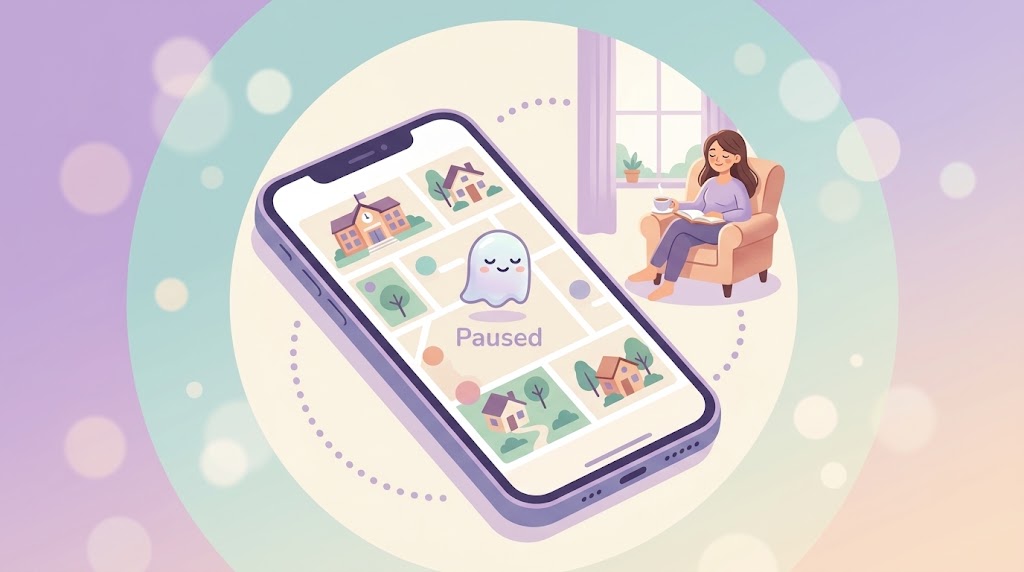
While you're paused, your circle members can't see your live coordinates — but they can see that you're paused. An animated ghost icon shows up next to your name on the map, in the member list, and in the circle list. The in-app description says it plainly:
"Temporarily stop sharing your location with this circle. Members will see that you're paused, not your live location."
That distinction is deliberate. A "sneaky" version of this feature — one where you simply vanish from the map with no indication anything changed — would solve your privacy problem by creating someone else's. If a parent glances at the map and their teenager's dot is just gone, with no explanation, that's not privacy, that's a small emergency. Multiply that across a family circle and a feature meant to reduce friction starts eroding the exact trust the app is built on.
Ghost Mode instead gives everyone the same honest information: this person chose not to share their exact location right now, and here's proof they're still engaged with the app. Nobody has to guess whether something's wrong. Nobody has to feel spied on to take a private hour. Both things are true at once — that's the whole design.
What Ghost Mode doesn't do
- It doesn't hide your presence from the circle — the ghost icon is always visible while paused.
- It doesn't pause chat, SOS alerts, or your ability to use the app normally.
- It doesn't apply app-wide by default — it's per-circle, so you choose exactly who you're stepping back from.
If you need a break from live tracking — for an afternoon or indefinitely — Ghost Mode gives you that without asking your family to wonder what happened. Download WheresNow and find Ghost Mode under Settings the next time you need a little privacy.